← Bryan Lee05 / 06

T3Inbox

05 / 06 · Private · Since Oct 2026

One inbox for all my coding agents.

A Mac menu bar inbox for T3 Code. It shows which agent threads need me, which are working, and which are done, and opens any of them with one key.

Private. Just for me.
Made for
Me
My role
Idea, design, and code
Status
Private, just for me
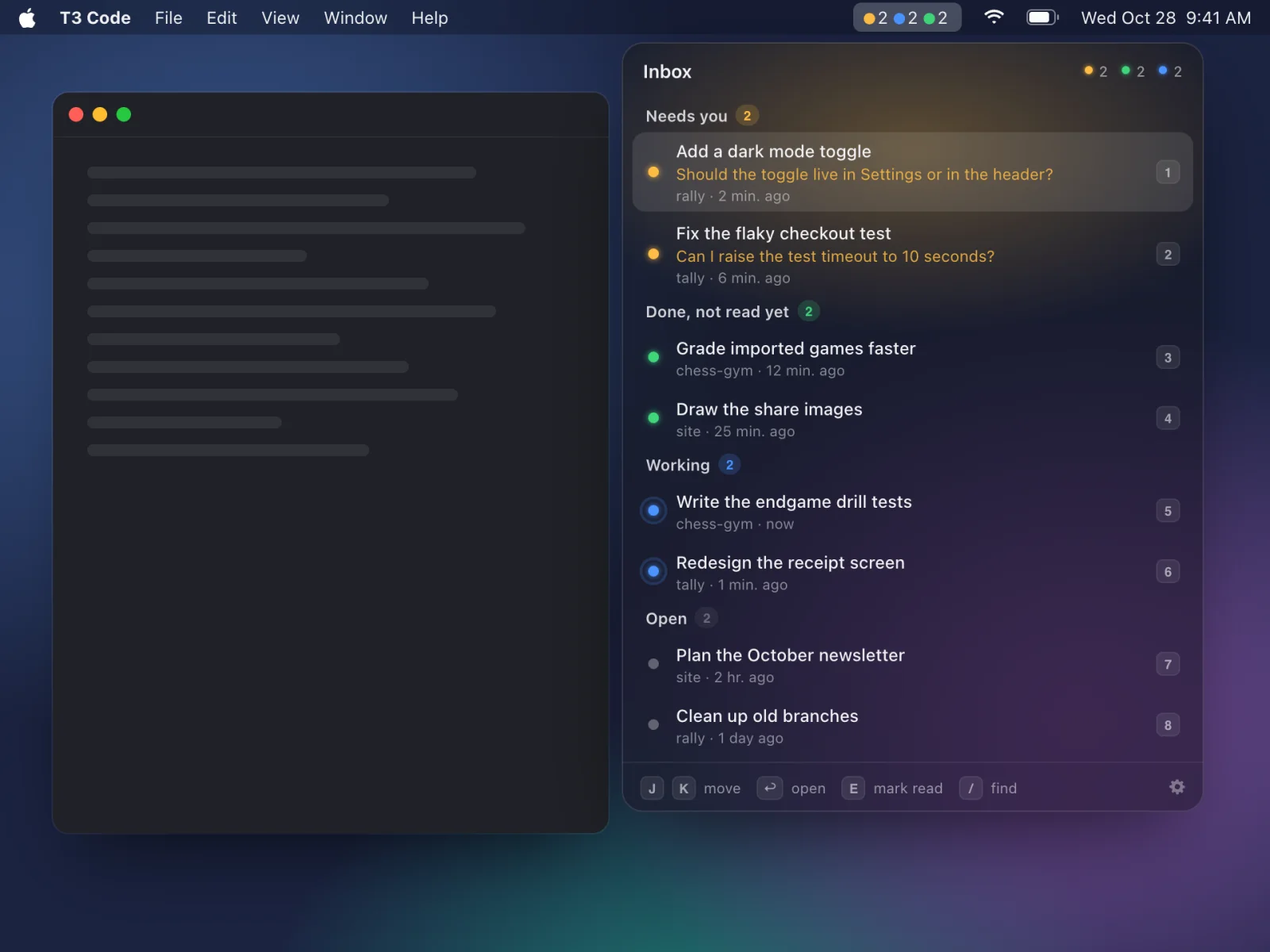
The inbox under the menu bar: two threads need me, two are done, and two are working
The inbox drops in under the menu bar.T3 Inbox is private, so these screens are redrawn with made-up threads.
The storyOct 2026

I run a lot of coding agents at once in T3 Code. Some are working, some are done, and usually one is stuck on a question I haven’t seen yet.

T3 Inbox lives in the Mac menu bar. A few colored dots say how many threads need me, how many are working, and how many are done. One shortcut opens the inbox from any app, and one key opens any thread.

I borrowed the look from One, a Mac app for talking to coding agents, and shaped it around T3. It’s just for me. It only reads T3’s threads and never changes them.

The idea
The thread that’s waiting on you goes first, with its question showing.
What makes it good04 ideas
01

Needs you comes first

The inbox sorts every open thread by what it needs from you: needs you, done but not read yet, working, and then the rest. When an agent asks you something, its question shows under the title in amber.

You see what the agent wants before you open the thread. The question is the last line of its message with a question mark, which is almost always where an agent asks.
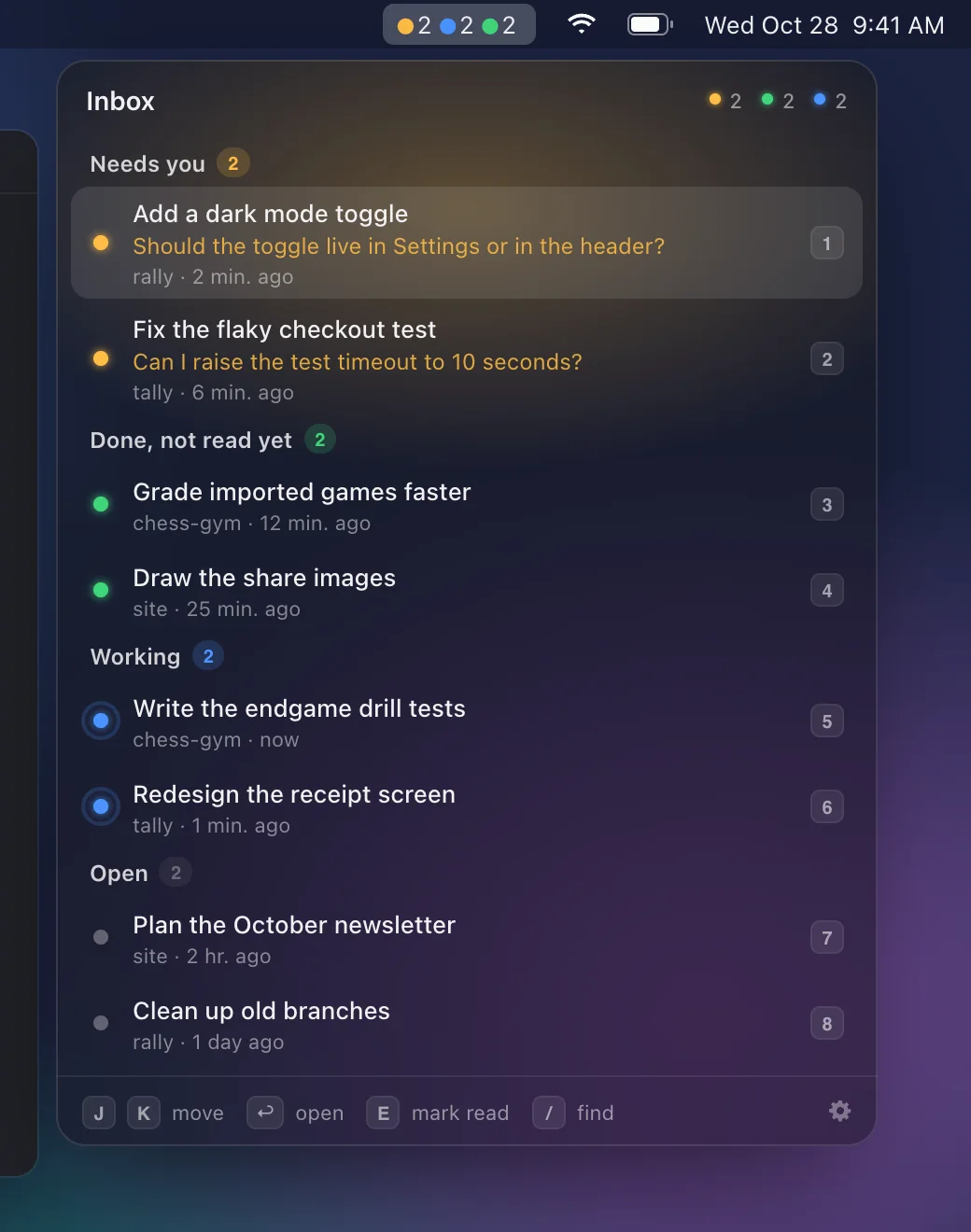
Two threads need me, each with its question showing
02

Your hands stay on the keys

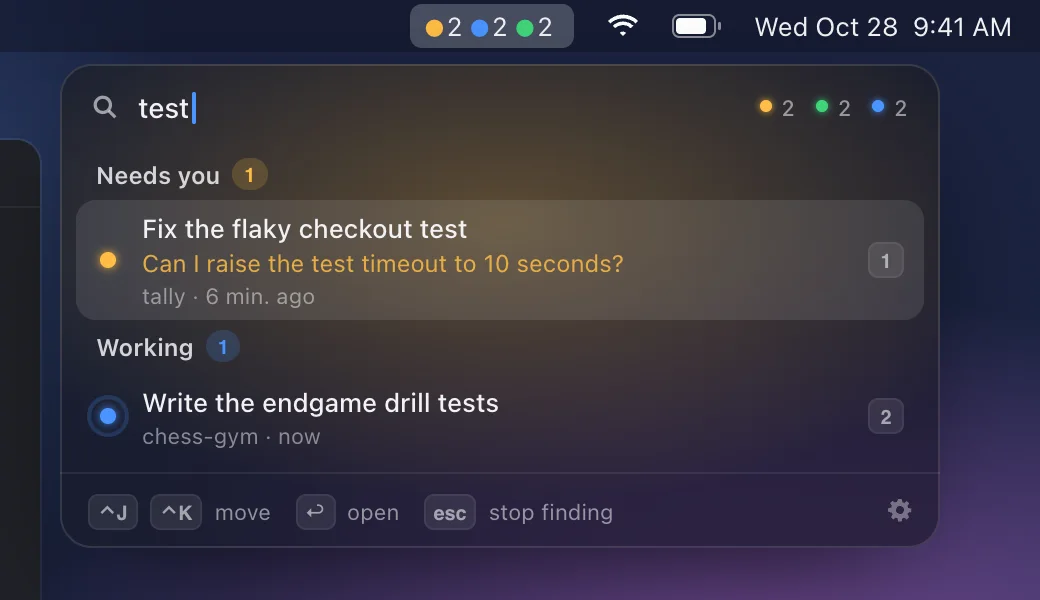
Control-Option-I opens the inbox from any app. J and K move, Return opens, and 1 to 9 jump straight to a thread. Slash finds a thread by its title or project, and E marks a done thread read.

Checking on your agents should take a second, not a hunt through windows. Close the inbox, and you land back in the app you were using.

Typing "test" narrows the inbox to two threads
03

A tap on the shoulder

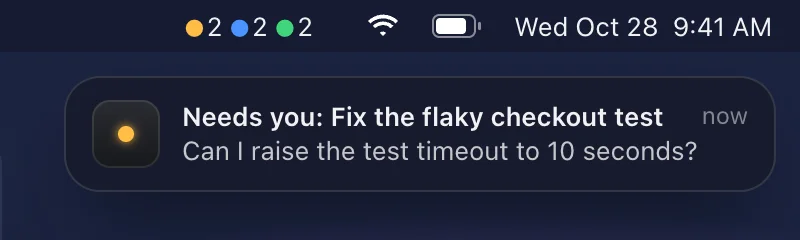
The menu bar shows a colored dot and a count for each state: amber needs you, blue is working, and green is done. When a thread starts to need you, an alert says what the agent asked. Click it to open the thread.

You can leave the agents alone and still hear the moment one gets stuck. Threads that were already waiting when the app started stay quiet, so you never get a burst of old news.

An alert: the checkout test thread needs me
04

Side dots at the screen edge

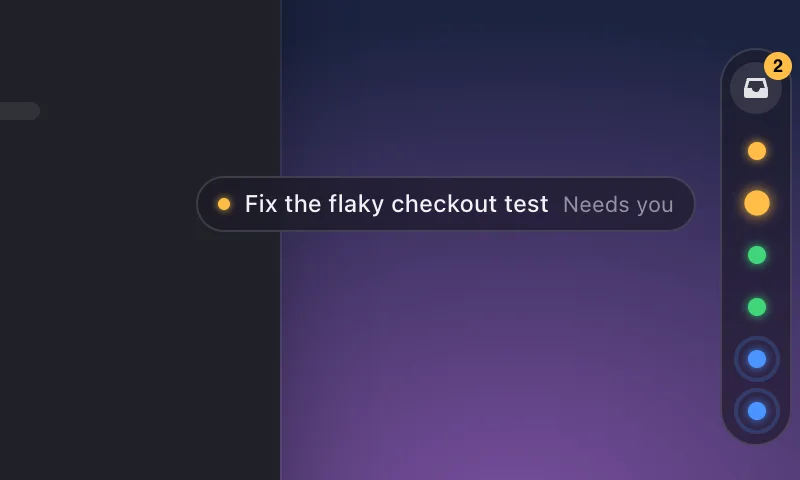
Turn on side dots, and a slim capsule sits at the right edge of the screen. It has one dot per busy thread and a badge that counts only the threads that need you. Hover a dot to see its title, and click it to open the thread.

It’s for long sessions, when even the menu bar feels far away. Working dots send out a slow ripple, so busy and waiting look different at a glance.

The side dots, with one thread’s title showing on hover
The look06 colors
  • Glass#16161a
  • Text#f2f2f4
  • Needs you#ffbd45
  • Working#4a94ff
  • Done#40d67a
  • Open#5f5f64

The Mac’s own system font, with rounded digits on the counts and the key caps.

Dark glass lets the desktop show through, and a soft glow at the top takes the color of the most urgent thread. Three colors carry all the meaning: amber needs you, blue is working, and green is done.

Try itA working demo · made-up data

Press J and K to move, Return to open, and E to mark a thread read.

Agents finish while you watch. Answer the one that needs you, and it goes back to work.

T3 InboxTry J, K, and E
The small stuff06 details
  • Your clipboard comes back

    Opening a thread borrows the clipboard for a moment, then puts back whatever you had copied. Clipboard history apps skip it.

  • Back where you were

    Close the inbox, and you’re back in the app you were using. A click anywhere else closes it too.

  • Hover can’t steal your place

    If the pointer happens to rest where the inbox opens, the selection stays on the top thread. Only a real move changes it.

  • Read stays read

    Press E on a done thread, and it moves out of the way until the agent finishes its next run.

  • Every thread one key away

    The first ten threads carry key caps, 1 to 9 and then 0, so you can open any of them without moving.

  • Hands off your threads

    T3 Inbox only reads T3’s threads. It never changes, archives, or answers anything for you.